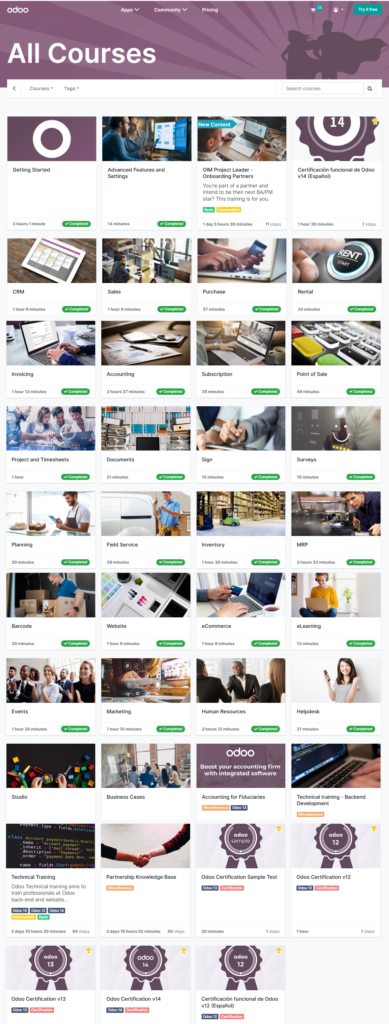
Recently, I re-picked up the odoo application. I started to use it five years ago, and at that time, its performance was slow and not quite well for usage. Currently, I found that it had a lot of improvement; its function covers many different area from HR, CRM, ERP, e-commerce, POS, helpdesk, project management, online booking, etc. I just got a cert on completed an odoo course. I think it is the right time to invest my time on odoo now, and hope that I can become a freeance on odoo support.
Odoo.sh is an advanced platform compared to Odoo online. Odoo online provides an instance of Odoo basics constraining the users with the usage of same level features provides by Odoo ERP. In Odoo Online platform, there is no provision to use any custom add-ons or custom development of the software which is required by almost every client on this earth as their processes are different, their business workflows are different. Odoo online is not that flexible compared to odoo.sh, as the installation of custom modules is not supported in Odoo online. We can only make the availability of Odoo pre-set modules here. Odoo.sh is scalar in nature allowing the installation of custom modules and further customizations.
| Function | On-line | On-Premise | Odoo.sh |
| Quick/Easy
Setup | YES | – | YES |
| Easy
maintenance of certified Apps | YES | – | YES |
| Guaranteed
99.9% uptime | YES | – | YES |
| Automated
backups | YES | – | YES |
| Email
Server | YES | – | YES |
| Odoo
certified Apps | YES | YES | YES |
| Third-party
Apps | – | YES | YES |
| Server
Control | – | YES | YES |
| Built-in
Developer and System Administration tools | NOT NEEDED | – | YES |
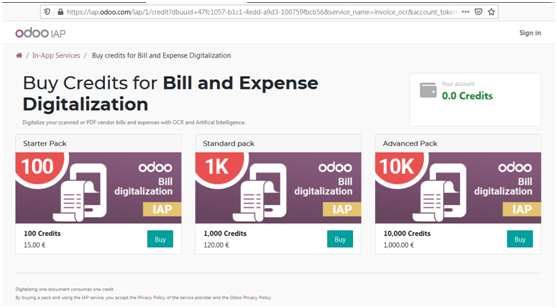
For on-premise installation, it has Odoo Community and Enterprise version. Odoo Community Edition is the free basic version of Odoo supported by open source software. Odoo Enterprise Version, on the other hand is a paid and upgraded version that is more suitable for high value, niche market. Odoo Enterprise Version offers unlimited functional support, version upgrade and Public or Private Cloud hosting in contrast to Odoo Community Version. High speed and performance also differentiate Odoo Enterprise version from Community version.
| General
Support Function | Enterprise | Community |
| Unlimited Functional support | Yes | No |
| Upgrades (including your database) | Yes | No |
| Public and Private cloud hosting | Yes | No |
| User Interface | Enterprise | Community |
| Desktop – Web Browser | Yes | Yes |
| Mobile version – Android and Apple phones | Yes | No |
| Studio Access | Enterprise | Community |
| Screen Customization | Yes | No |
| Report Designer | Yes | No |
| Menus Editor | Yes | No |
| Apps Creator | Yes | No |
| Sales Management | Enterprise | Community |
| Relationship Management
(CRM) | Yes | Yes |
| Sales quotations and orders | Yes | Yes |
| Customer Portal and online payment | Yes | Yes |
| Digital Phone (VoIP) Integration | Yes | No |
| Document Management | Yes | No |
| eSignatures | Yes | No |
| Digital, Subscription and Rental Products | Yes | No |
| Helpdesk | Yes | No |
| Field services | Yes | No |
| Repair services | Yes | No |
| Cohort, Dashboard, and Map
View | Enterprise | Community |
| Kanban, list,
calendar, and bar graph view | Yes | Yes |
| new cohort,
dashboard, and Map view | Yes | No |
| Inventory Management | Enterprise | Community |
| Purchase Management | Yes | Yes |
| Barcode support | Yes | No |
| Shipping ConnectorsDHL Express, UPS,
USPS, FedEx, BPost, EasyPost | Yes | No |
| Inter-company Automation | Yes | No |
| Accounting Management | Enterprise | Community |
| Invoicing & Payments | Yes | No |
| Full Accounting(Bank Statement
Imports, Billing Digitalization, Budgets,Checks, Consolidation,
Localizations, Reports, …) | Yes | No |
| Manufacturing Management | Enterprise | Community |
| Resource Planning (MRP) | Yes | Yes |
| Advanced Resource Planning (MRP
II)-Work center Control Panel and Scheduling | Yes | No |
| Internet of Things (IoT)- Cameras,
Footswitches, Scales, Measurement Tools | Yes | No |
| Product Lifecycle Management (PLM) | Yes | No |
| Maintenance | Yes | Yes |
| Quality | Yes | No |
| Shipping Connectors- DHL Express,
UPS, USPS, FedEx, BPost, EasyPost | Yes | No |
| Project Management | Enterprise | Community |
| Projects and Tasks | Yes | Yes |
| Timesheets and task logs | Yes | Yes |
| Planning and Forecasting | Yes | No |
| Human Resource Management | Enterprise | Community |
| Employee Directory | Yes | Yes |
| Expenses | Yes | Yes |
| Leaves | Yes | Yes |
| Recruitments | Yes | Yes |
| Expenses | Yes | Yes |
| Payroll | Yes | No |
| Appraisals | Yes | No |
| Approvals | Yes | No |
| Employee Referral | Yes | No |
| Departments Dashboard | Yes | No |
| Point of Sale Management | Enterprise | Community |
| Retail Point of Sale | Yes | Yes |
| Restaurant Point of Sale | Yes | Yes |
| Loyalty Programs and Gift Cards | Yes | No |
| Website Builder | Enterprise | Community |
| Website Builder | Yes | Yes |
| Blogs | Yes | Yes |
| Presentations | Yes | Yes |
| Themes | Yes | Yes |
| Form Builder | Yes | No |
| Call-to-Actions Blocks | Yes | No |
| Versioning | Yes | No |
| A/B Testing | Yes | No |
| E-commerce | Enterprise | Community |
| Web Store and Shopping Cart | Yes | Yes |
| Shipping ConnectorsDHL Express, UPS,
USPS, FedEx, BPost, EasyPost | Yes | No |
| Amazon Connector | Yes | No |
| Automatic Sales Tax | Yes | No |
| Marketing Management | Enterprise | Community |
| Events Management | Yes | Yes |
| Email Marketing | Yes | Yes |
| Live Chat | Yes | Yes |
| Social media Marketing | Yes | No |
| SMS Marketing | Yes | Yes |
| Marketing Automation | Yes | No |
| Lead Scoring | Yes | No |
| Email Marketing Templates | Yes | No |
| Miscellaneous | Enterprise | Community |
| E-Learning | Yes | Yes |
| Chat | Yes | Yes |
| Google Integration- Accounts,
Calendar, Docs, Sheets | Yes | Yes |
| Fleet Management | Yes | Yes |
| Web Services Integration (API) | Yes | Yes |
| Online Appointment Scheduling | Yes | No |